Vinted Relisting & Repost Photo Tool (No Duplicate Flags)
Re-uploading identical photos when relisting old items can trigger Vinted’s duplicate detection or limit feed reach. Refresh up to 20 listing photos locally in 1 second—zero login required.
Drop up to 20 listing photos here to refresh file hash & strip EXIF
Supports JPG, PNG, WEBP. Never uploaded to any server.
All image pixels are re-encoded locally in your browser via HTML5 Canvas. • Maximum 20 photos per batch.
Safe Vinted Relisting Rules (Avoid Shadowbans)
1. Delete Old Listing First
Never publish a relisted item while the original listing is still live. Always delete the stale listing before posting the refreshed version.
2. Refresh Photo Hash & EXIF
Use our tool above to crop 1–2% and strip hidden EXIF metadata so Vinted treats the image as brand new.
3. Pace Your Relisting
Relist 5 to 10 items per session with short breaks instead of bulk-reposting 50 items in two minutes.
4. Refresh Title & Description
Swap the cover photo order and tweak a few keywords in your description to maximize fresh search visibility.
How Top Vinted Sellers Command Premium Prices
Buyers judge listings in under 2 seconds. Interactive comparison below reveals how transforming flat-lays into professional on-model studio photography turns browsers into buyers.
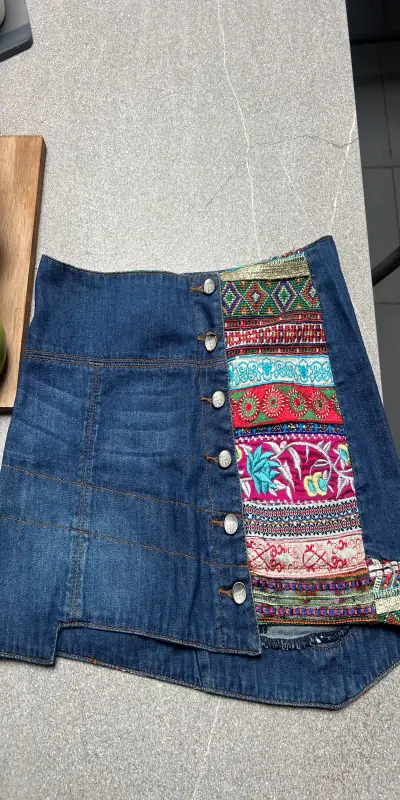 Before: Wrinkled Flat Lay
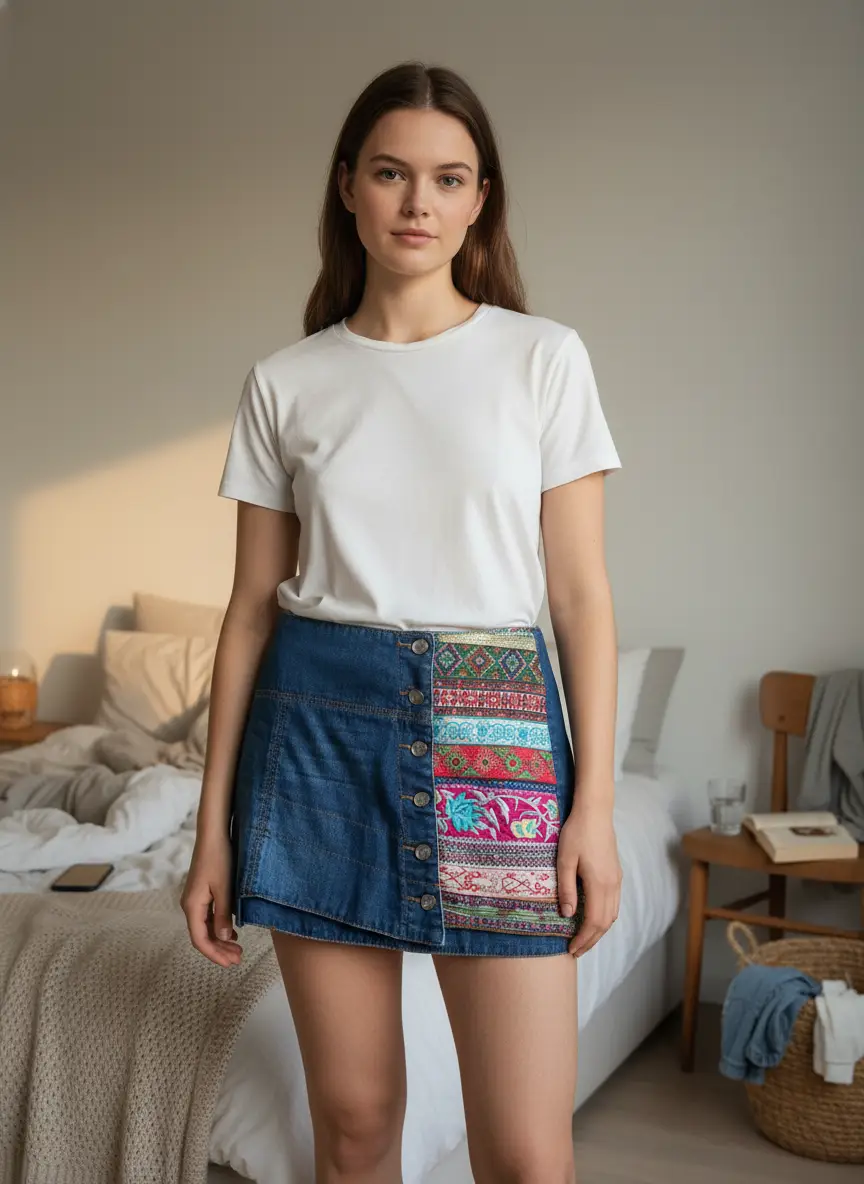 After: Studioify AI Model
On Vinted, listings using human models appear more trustworthy and reduce size return doubts, directly boosting conversion.
Ready to Transform Your Vinted Wardrobe?
Upload any clothing photo from your phone. No physical models or cameras needed.
Create Studio Photos for FreeFrequently Asked Questions: Vinted Relisting Rules
Everything you need to safely repost stale Vinted items.
Want 3x More Clicks When You Relist on Vinted?
Don’t just repost the same dark bed photo. Upgrade your cover shot to a realistic AI fashion model in seconds.
Generate AI Model Cover Free