Airbrush Enhancer Alternative for Resale & E-commerce Photos
Turn messy phone snaps into clean, consistent, resale-ready listing photos. Studioify automatically cleans the background, optimizes lighting, and unifies style—no studio, no prompts.
Designed for Depop, Vinted, Poshmark & more · Fast workflow · Consistent results
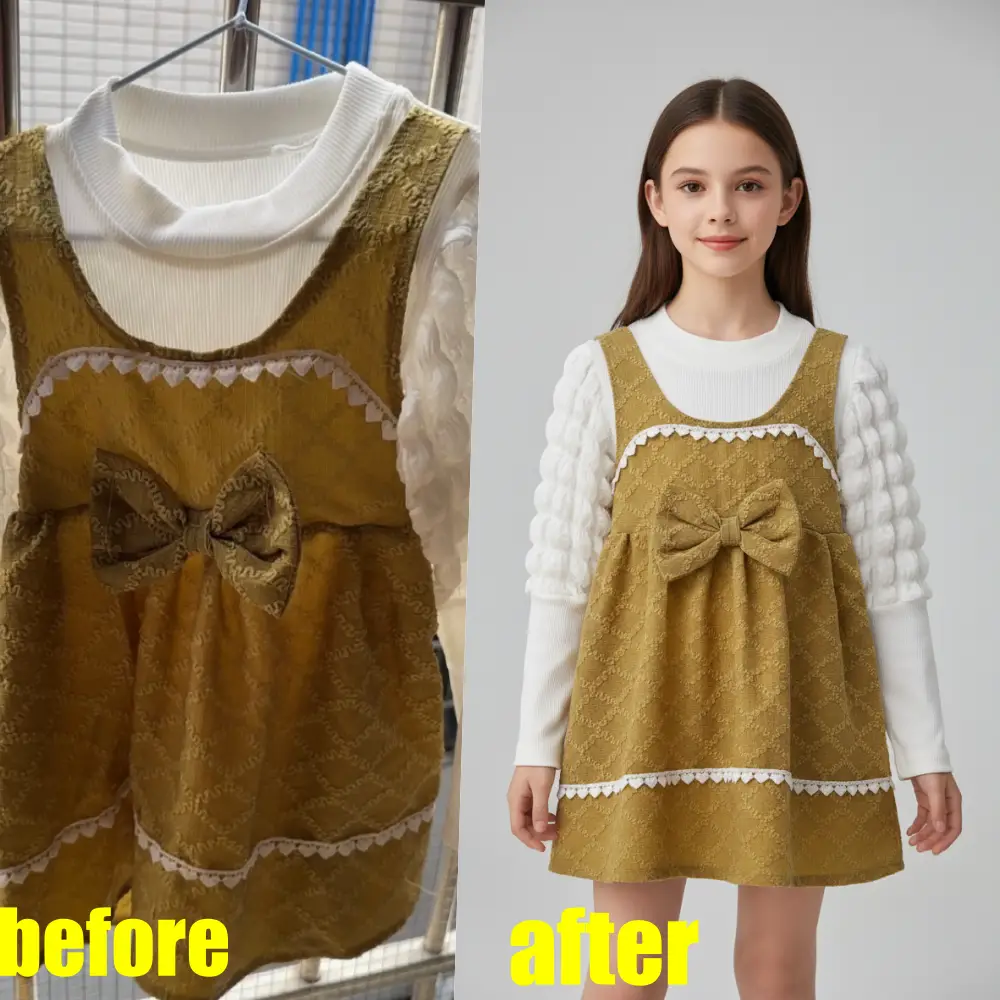
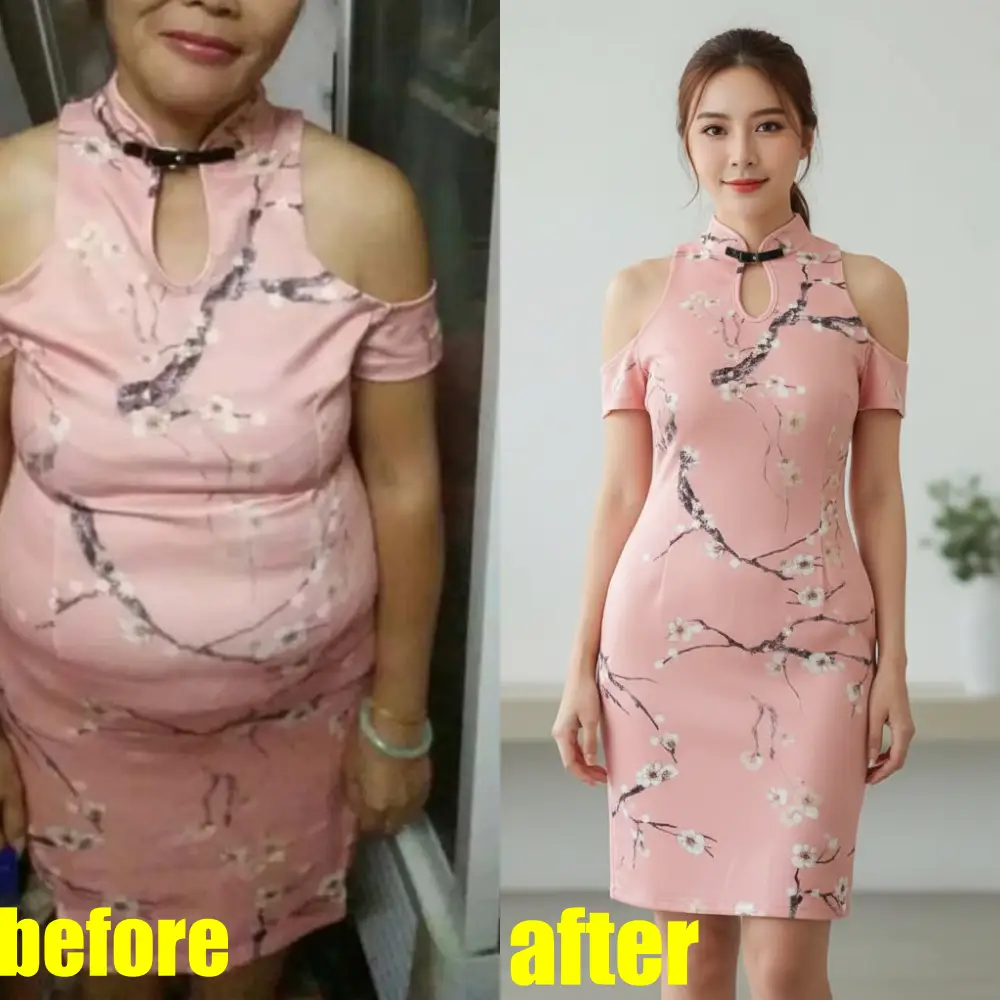
Airbrush-style polish—built for sellers
Clean background automatically
so the item becomes the focus.
Optimize lighting & overall quality
for clear, scroll-stopping cover photos.
Keep a consistent look
across listings to make your closet/grid feel like a brand.
What Does “Airbrush Enhancer” Usually Mean?
Many shoppers search “airbrush enhancer” when they want photos to look cleaner and more professional—less clutter, better lighting, and a consistent style—without spending time editing every image manually. Studioify is an alternative workflow focused on listing photos: upload, choose a display style, and export ready-to-post results.
Why Studioify Is a Practical Airbrush Enhancer Alternative
Studioify isn’t trying to be a generic photo app. It’s designed around how clothing sellers actually shoot and list—helping you produce clean, consistent images in seconds so you can list faster and look more professional.
- No prompts, no jargon: upload → pick your platform/style → download.
- Marketplace-ready outputs: optimized for major resale platforms (Depop, Vinted, Poshmark, Mercari, eBay).
- Save time per listing: reduce manual editing and repetitive cleanup work.
How to Enhance Listing Photos Online (Airbrush-Style)
Upload
Upload your product photo (flat lay, hanger shot, mannequin, or on-body).
Choose a display style
Select how you want it presented (On-Body/Model, Flat Lay, or Hanging), then choose camera angle and background style.
Download & post
Export the enhanced image in the right aspect ratio (e.g., 3:4, 1:1, 9:16) and upload to your listing.
Key Features (Built for Product Photos)
Background cleanup
Remove distractions and keep the garment as the focus.
Lighting optimization
Produce clearer, more uniform listing photos.
Display styles
On-Body/Model, Flat Lay, Hanging.
Camera angles
Front, Back, Side, 3/4 view.
Background styles
Options like mirror selfie / bedroom scene / brand default.
Output sizing
Common aspect ratios (3:4, 1:1, 16:9, 9:16).
Higher resolution options
1K plus paid 2K/4K tiers (for higher fidelity).
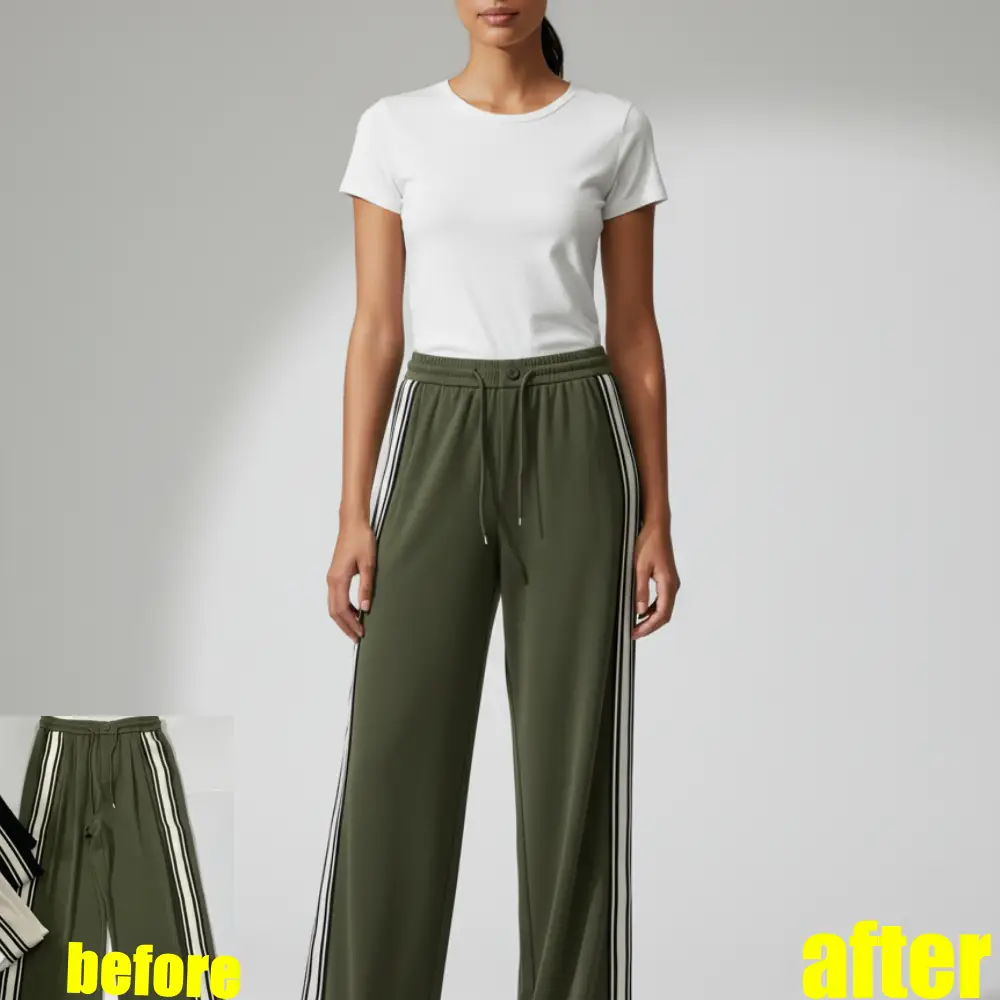
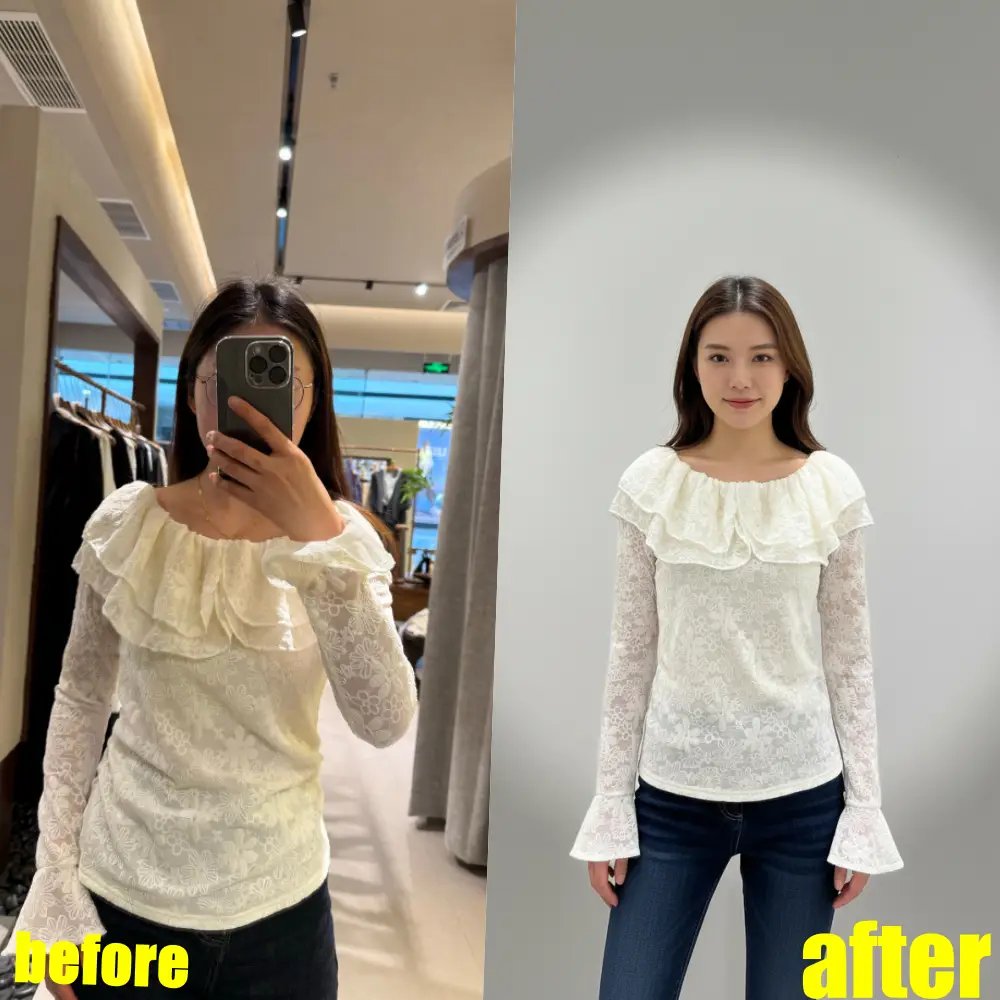
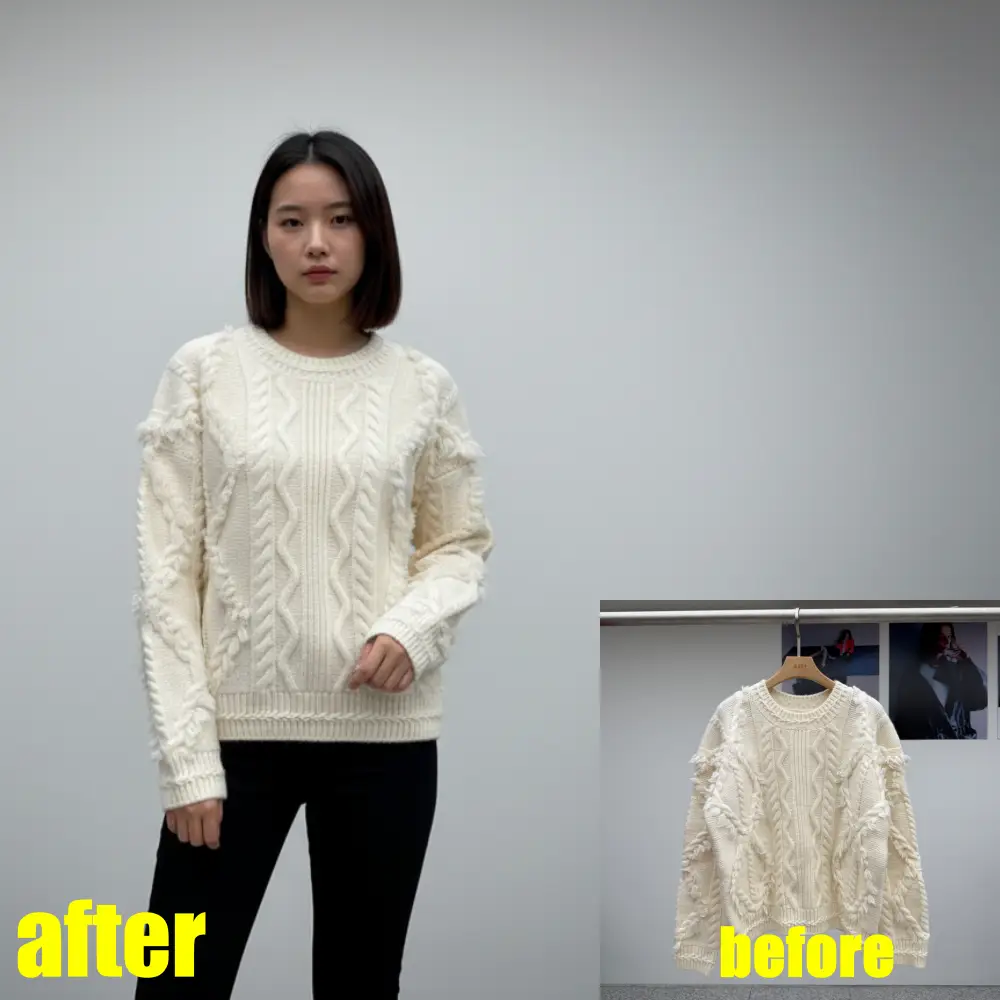
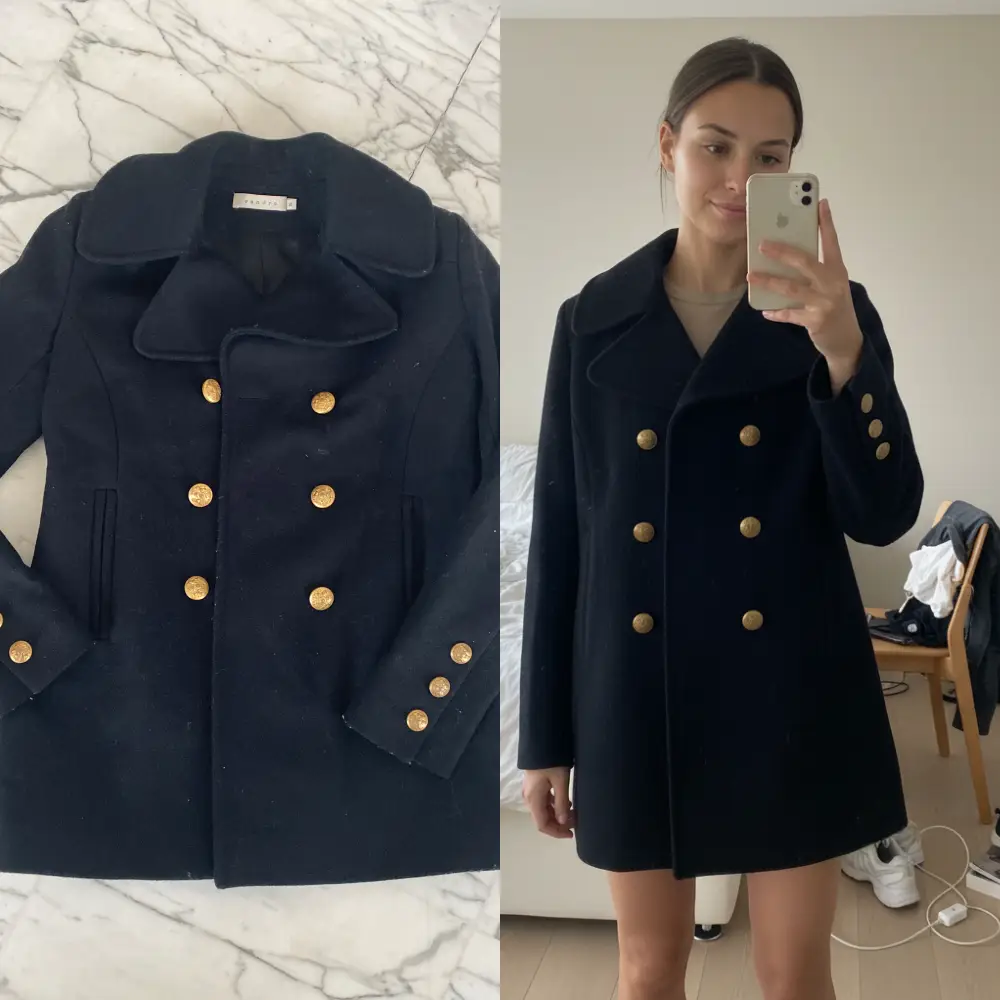
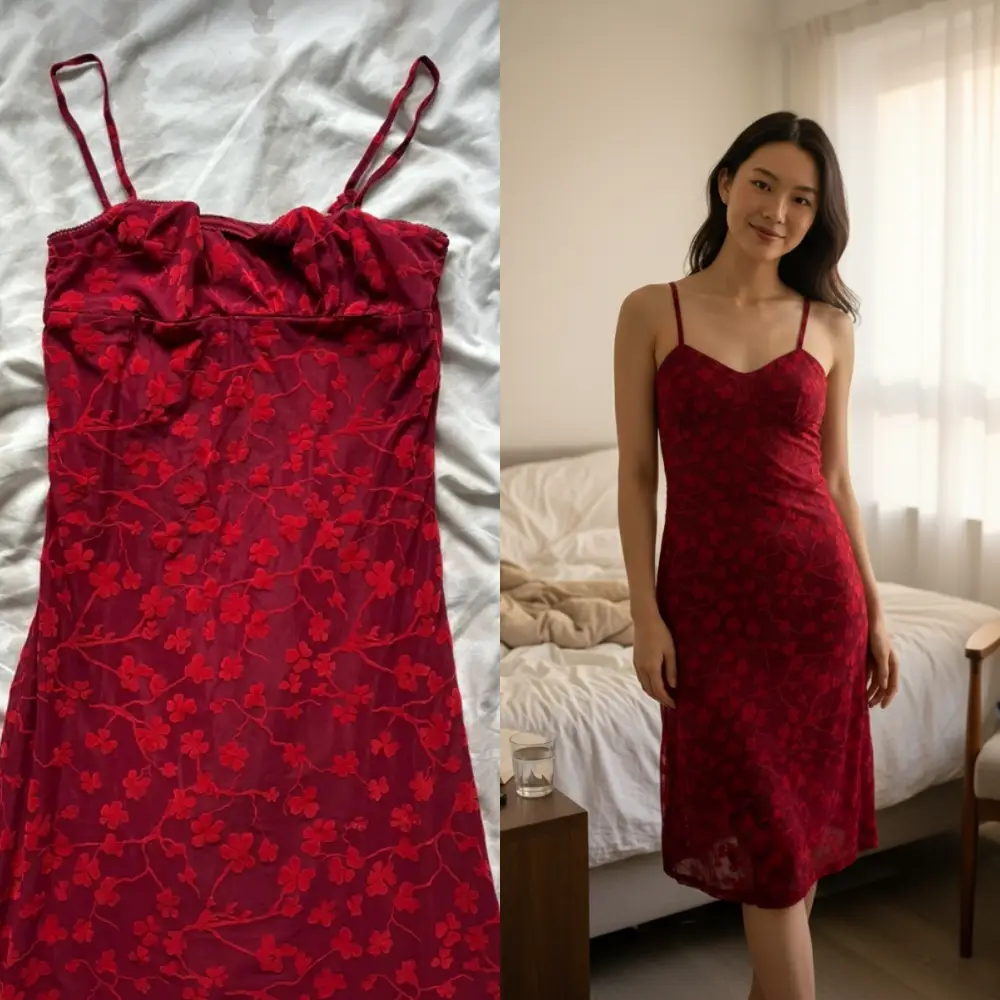
Airbrush Enhancer vs Studioify (What’s Different?)
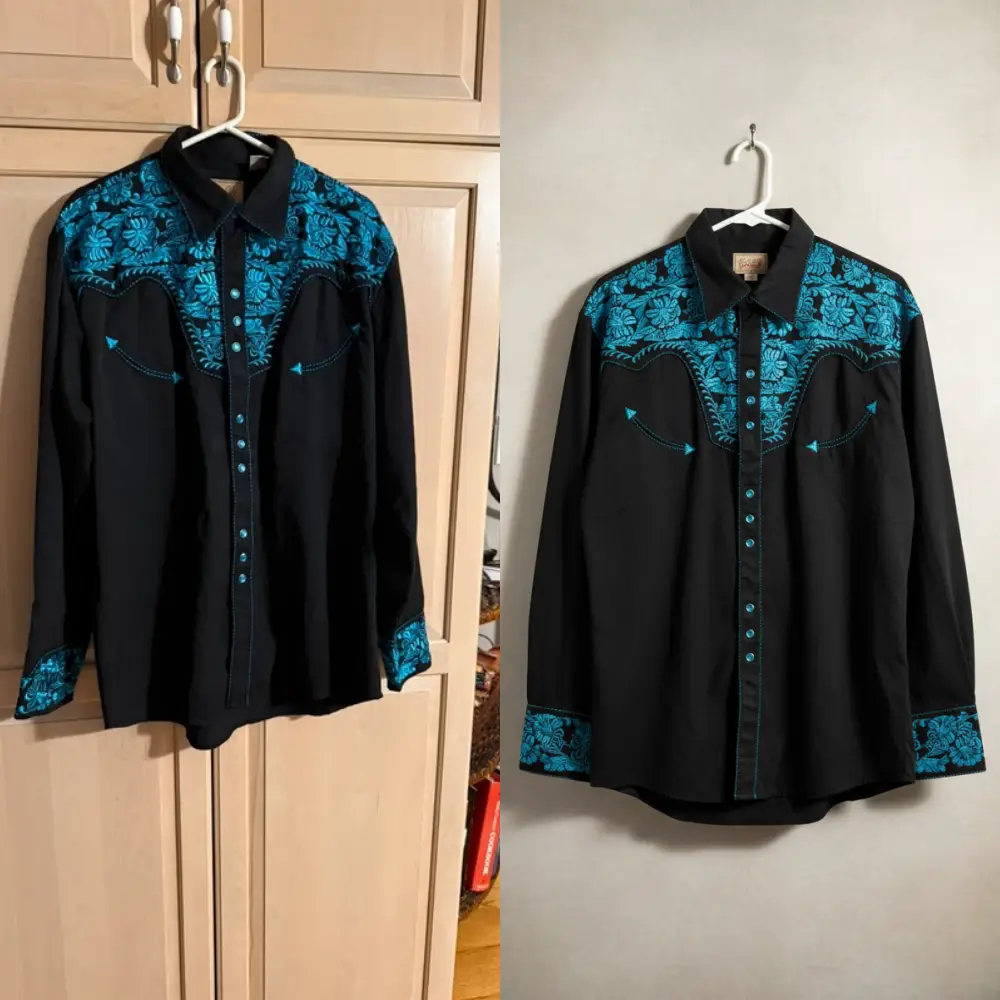
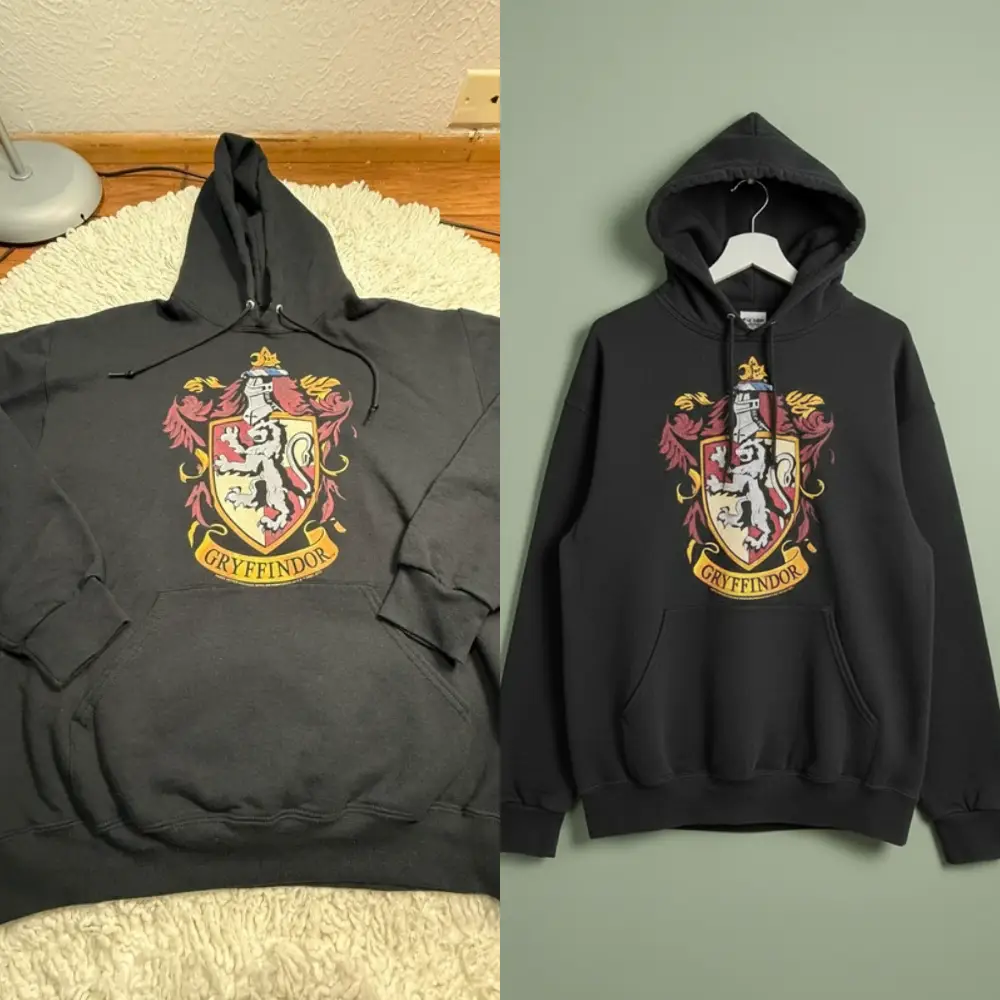
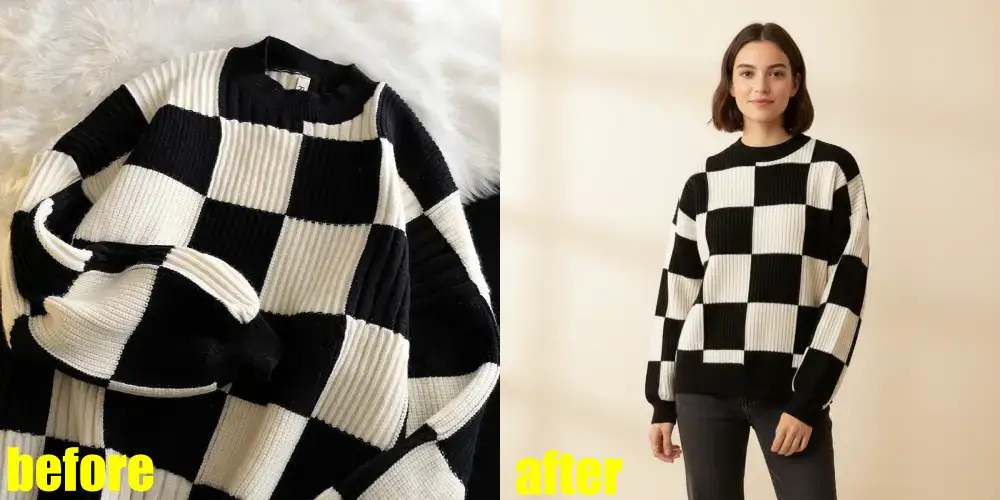
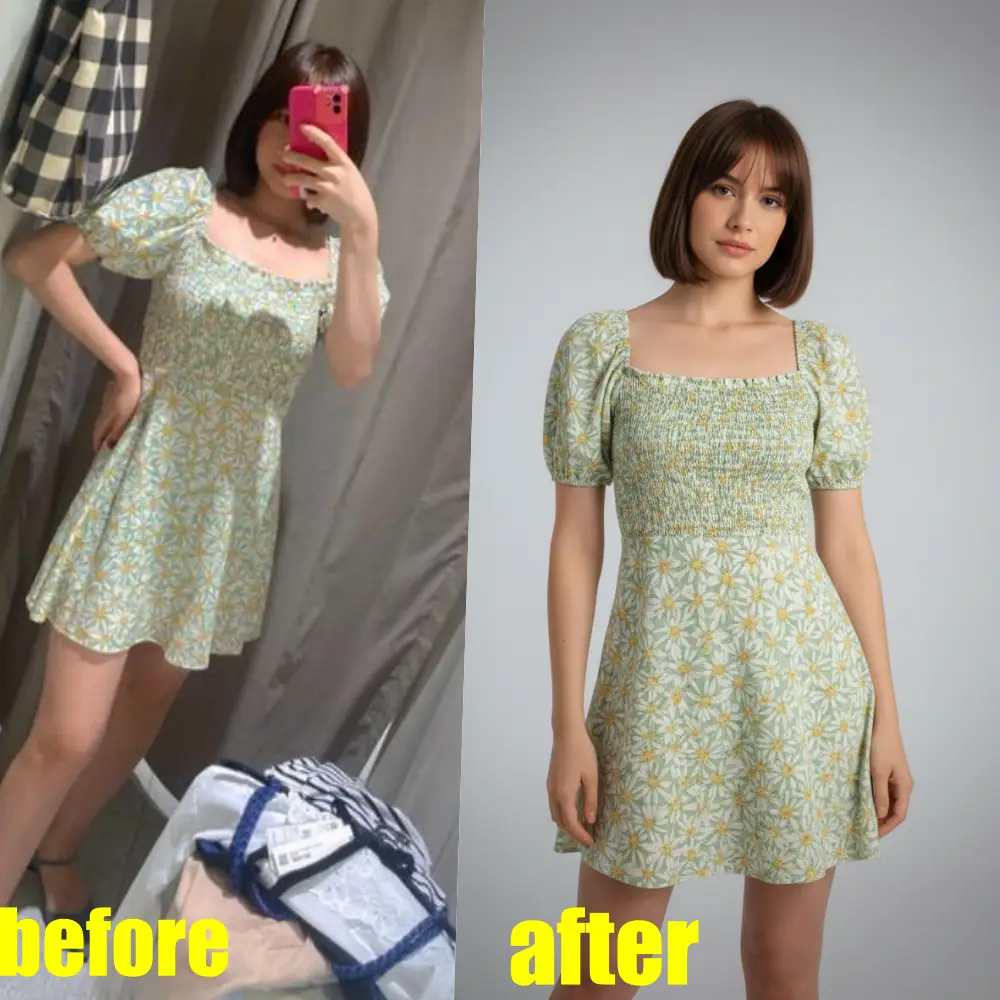
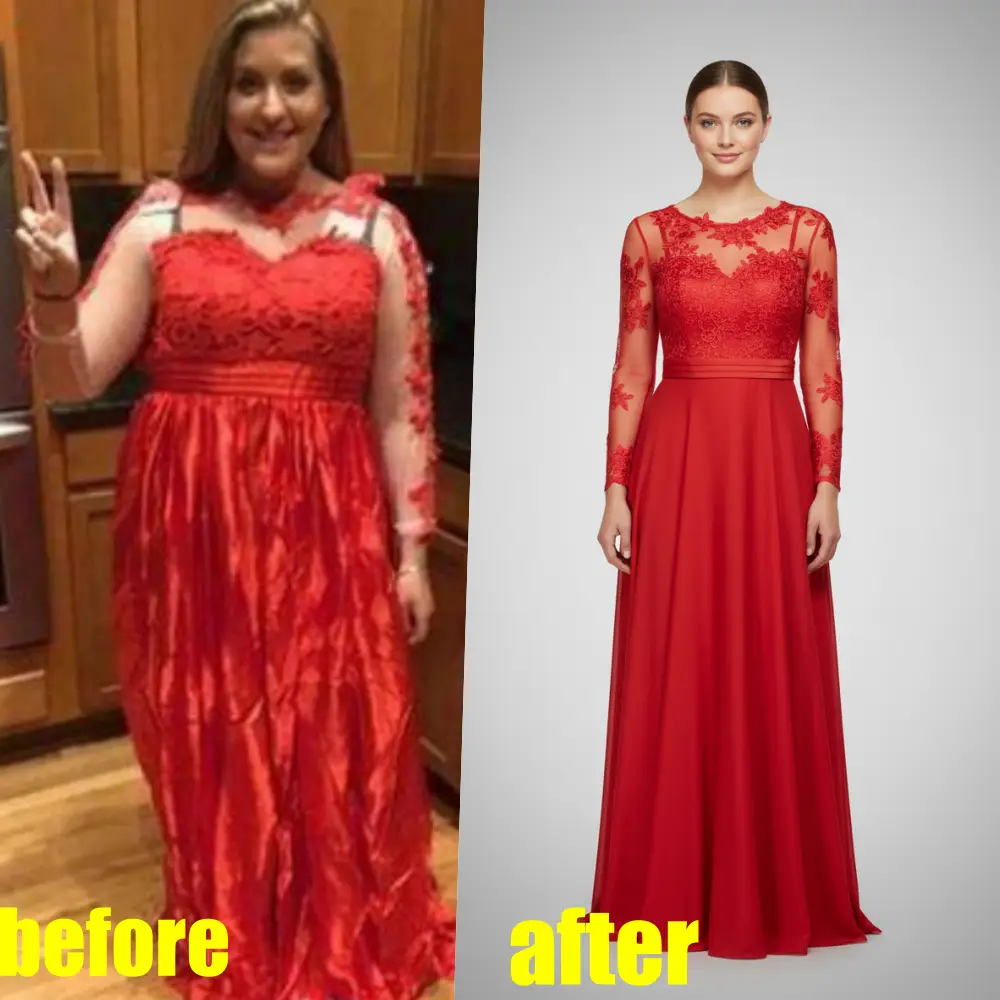
If you’re searching for an “airbrush enhancer” because you want cleaner, more professional results, the main difference is workflow: Studioify is optimized for resale listings—consistent backgrounds, marketplace-friendly framing, and optional on-model visualization—so your photos look cohesive across your closet/grid.
Studioify is an independent tool and is not affiliated with AirBrush or any third-party brand.
Best Use Cases for Sellers
Depop cover photos
Brighter, cleaner images that stand out in crowded feeds.
Vinted closet consistency
Uniform backgrounds make your listings feel organized and trustworthy.
Poshmark & multi-platform
Export platform-ready packs you can upload anywhere.
On-model shots (optional)
Generate realistic model images from flat lay/hanger/ghost mannequin photos.
Pricing That Fits High-Volume Listing
Start for less than $0.40 per photo with prepaid packs, and you don’t need a subscription to keep using the tool.
See PricingFrequently Asked Questions
Studioify offers a trial entry point and pay-per-photo style pricing options, designed for sellers who want consistent listing photos. (Check the current plan details on the pricing page.)
No—Studioify runs online. Upload a product photo, choose a display style, and generate your result in the browser.
Clear product-focused shots work best (flat lay, hanger, or ghost mannequin). For the most accurate color, shoot under natural daylight.
Yes. The AI fashion model generator can turn flat lay/hanger/ghost mannequin photos into on-model images.
Background settings are designed to affect the environment rather than the product’s style and color; still, use daylight source photos for best color accuracy.
Ready to make your listings look professional?
Upload a product photo and get a clean, consistent result in minutes—perfect for Depop, Vinted, and Poshmark sellers.